
Store / Help & Support / Plugin Software / Aries Redline
Help & Support
Aries Redline
Standalone compressor with Redline character
Use Aries Redline as a standalone compressor when you want more assertive dynamic shaping without loading a full channel strip.
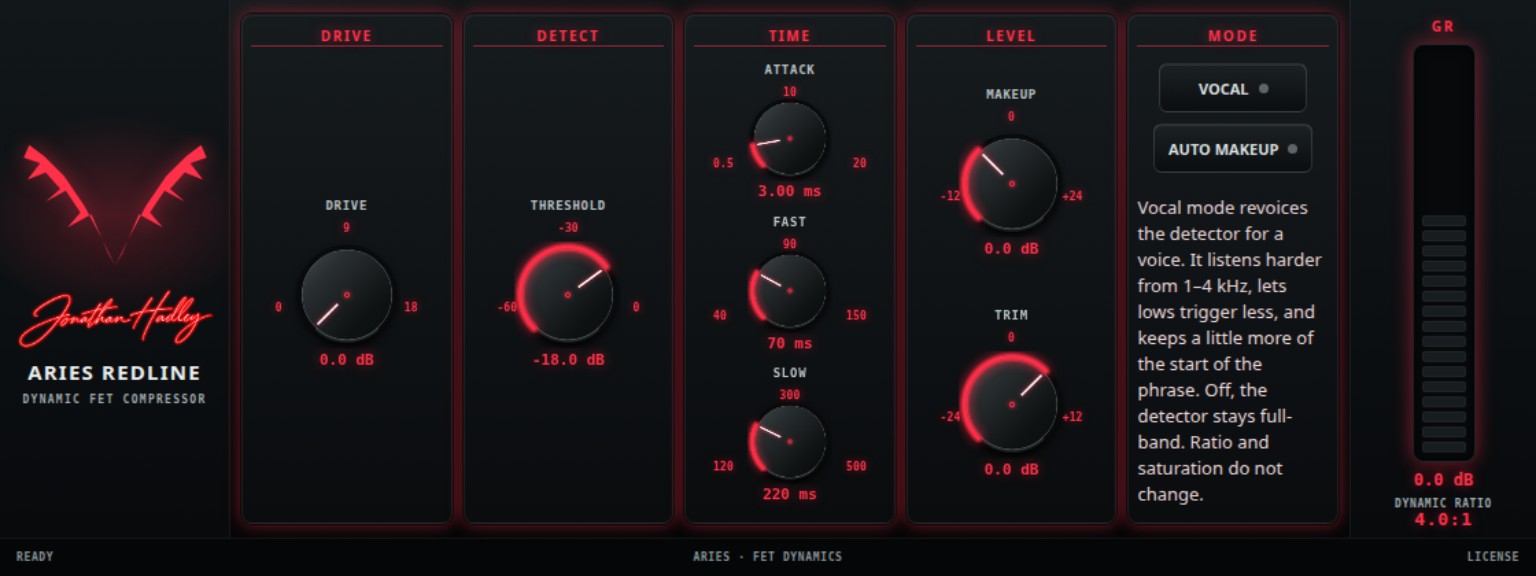
Practical approach
- Insert Redline on an individual source or bus.
- Set the compression amount to control the loudest material first.
- Adjust available attack/release and character settings to preserve the impact you want.
- Use available output/makeup adjustments to compare fairly with bypass.
- Listen for harshness or excessive pumping on dense passages.
Troubleshooting
- Transient impact disappears: Use less compression or adjust attack where available.
- Output rises sharply: Revisit makeup or output gain.
Exact parameter descriptions require validation against the shipping UI before publication.
General setup and advice
Load the plugin in a compatible VST3 DAW and confirm that its license is active. Start with a sensible input level, then adjust the controls while listening in the context of the full mix. Plugin output controls do not replace the DAW fader; use the fader for creative balance and automation. If a meter has no reading, verify that audio is reaching the plugin and that playback is active.
Aries Link: Where a guide mentions automatic communication, participating plugins must be loaded in the same compatible session and the relevant functions enabled. Aries Link is a control/analysis connection, not an extra audio cable. It does not replace normal bus routing.
Security: Downloads are unsigned. Your operating system may require manual authorization. Review security notices before proceeding.