Store / Help & Support / Plugin Software / Aries Bass
Help & Support
Aries Bass
Bass-bus tone, phase assistance and kick ducking
Send bass takes to a Bass Bus. Insert Aries Bass → Aries Bus Control on that bus, then route the Bass Bus to the Instrument Bus.
A first mix
- Confirm the Bass Bus receives an audible signal.
- Adjust Bass Frequency, Presence, Definition and Tonality to shape the bass in the context of the kick.
- Use Compression, Transient, Tape and Distortion to establish dynamics and character.
- Leave Phase Assist active while checking its audible contribution against the drum mix; compare on and off if the low end changes unexpectedly.
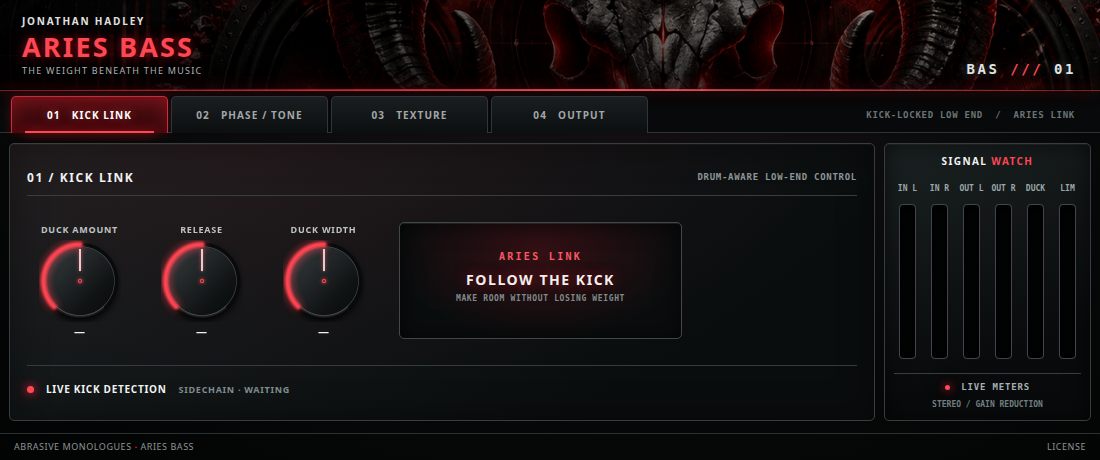
- Use Duck Amount for the depth of kick-related space, Release for recovery timing and Width for the frequency range affected.
- Set Output Gain and limiter controls after the desired tone and interaction are established.
Automatic kick ducking
Aries Bass receives kick activity from Aries Drums through Aries Link. The intended result is a brief, frequency-selective reduction of bass energy when the kick needs space. The bass should remain substantial between kick hits. The duck meter should correlate with actual reduction, not merely incoming kick detection.
Troubleshooting
- No ducking: Check that Aries Drums and Aries Bass are running, the drum plugin detects kicks, and Duck Amount is nonzero. Check the bass bus output by ear, not only the link status.
- Pumping: Reduce Amount or adjust Release.
- Thin bass: Revisit Width, tonal controls and Phase Assist.
- No output: Compare plugin bypass and check license, routing, limiter and output trim.
General setup and advice
Load the plugin in a compatible VST3 DAW and confirm that its license is active. Start with a sensible input level, then adjust the controls while listening in the context of the full mix. Plugin output controls do not replace the DAW fader; use the fader for creative balance and automation. If a meter has no reading, verify that audio is reaching the plugin and that playback is active.
Aries Link: Where a guide mentions automatic communication, participating plugins must be loaded in the same compatible session and the relevant functions enabled. Aries Link is a control/analysis connection, not an extra audio cable. It does not replace normal bus routing.
Security: Downloads are unsigned. Your operating system may require manual authorization. Review security notices before proceeding.