Store / Help & Support / Plugin Software / Aries Guitar
Help & Support
Aries Guitar
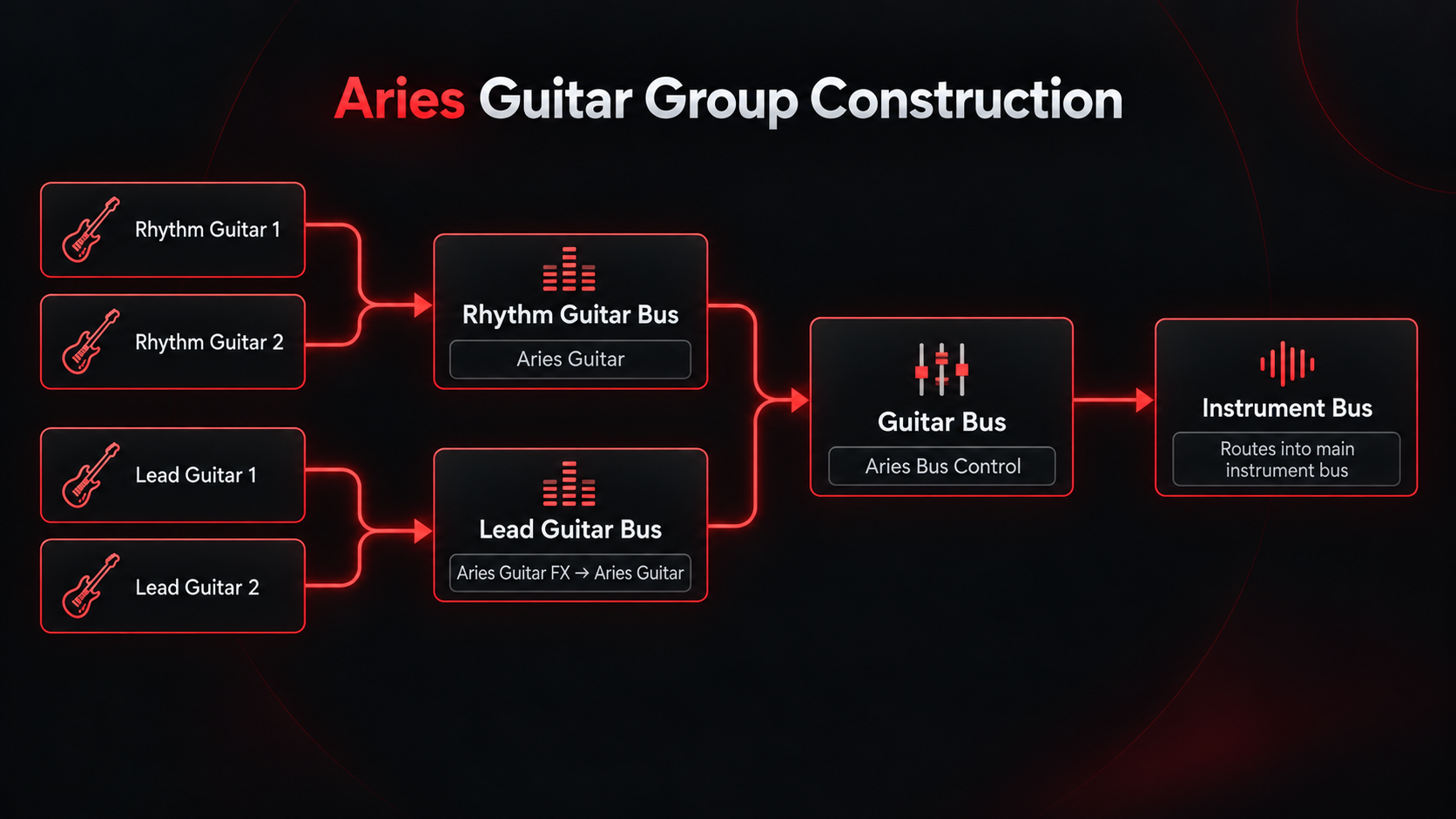
Guitar shaping on rhythm and lead groups
Route rhythm takes to a Rhythm Guitar Bus and insert Aries Guitar. Route lead takes to a Lead Guitar Bus and insert Aries Guitar FX → Aries Guitar. Send both groups to one Guitar Bus, insert Aries Bus Control, then send the Guitar Bus to the Instrument Bus.
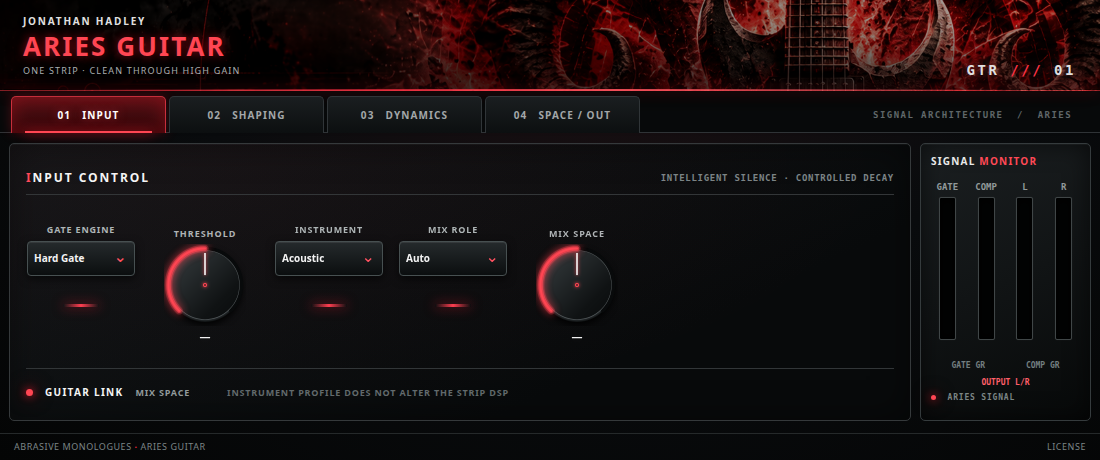
Controls and workflow
- Mode: Select an appropriate starting character: Acoustic, Clean, Crunch or High Gain.
- Role: Tell Aries whether the part is Rhythm, Lead, Clean Layer, Acoustic, Ambient or Auto.
- Gate Mode / Gate Threshold: Choose between stronger gating and gentler noise reduction. Avoid cutting off natural sustains.
- Low Cut / Cut Depth: Control unnecessary low-frequency energy.
- Chug, Bite, Mix Razor, Harshness and Sizzle: Shape weight, presence and edge.
- Ratio, Attack, Release and Compression Threshold: Control dynamics without losing pick attack unless that is intentional.
- Width and Drive: Adjust stereo impression and added character.
- Limiter, Ceiling and Output Gain: Set output behavior after the main tone is established.
A first mix
Choose the role and mode, establish an audible guitar sound, then adjust low-end shape and harshness in the full instrumental mix. Use the dynamics section only as much as needed. Add Guitar FX on the lead bus when a distinct effected part is wanted. Make the combined Guitar Bus level adjustments with Aries Bus Control.
Troubleshooting
- Notes cut off: Ease the gate threshold or change gate mode.
- Guitars fight the vocal: Consider width, midrange density and the system's vocal unmasking, rather than only lowering all guitars.
- Too sharp or fizzy: Revisit Bite, Harshness and Sizzle before changing the master EQ.
General setup and advice
Load the plugin in a compatible VST3 DAW and confirm that its license is active. Start with a sensible input level, then adjust the controls while listening in the context of the full mix. Plugin output controls do not replace the DAW fader; use the fader for creative balance and automation. If a meter has no reading, verify that audio is reaching the plugin and that playback is active.
Aries Link: Where a guide mentions automatic communication, participating plugins must be loaded in the same compatible session and the relevant functions enabled. Aries Link is a control/analysis connection, not an extra audio cable. It does not replace normal bus routing.
Security: Downloads are unsigned. Your operating system may require manual authorization. Review security notices before proceeding.