Store / Help & Support / Plugin Software / Aries Drums
Help & Support
Aries Drums
Drum-bus tone, punch and kick intelligence
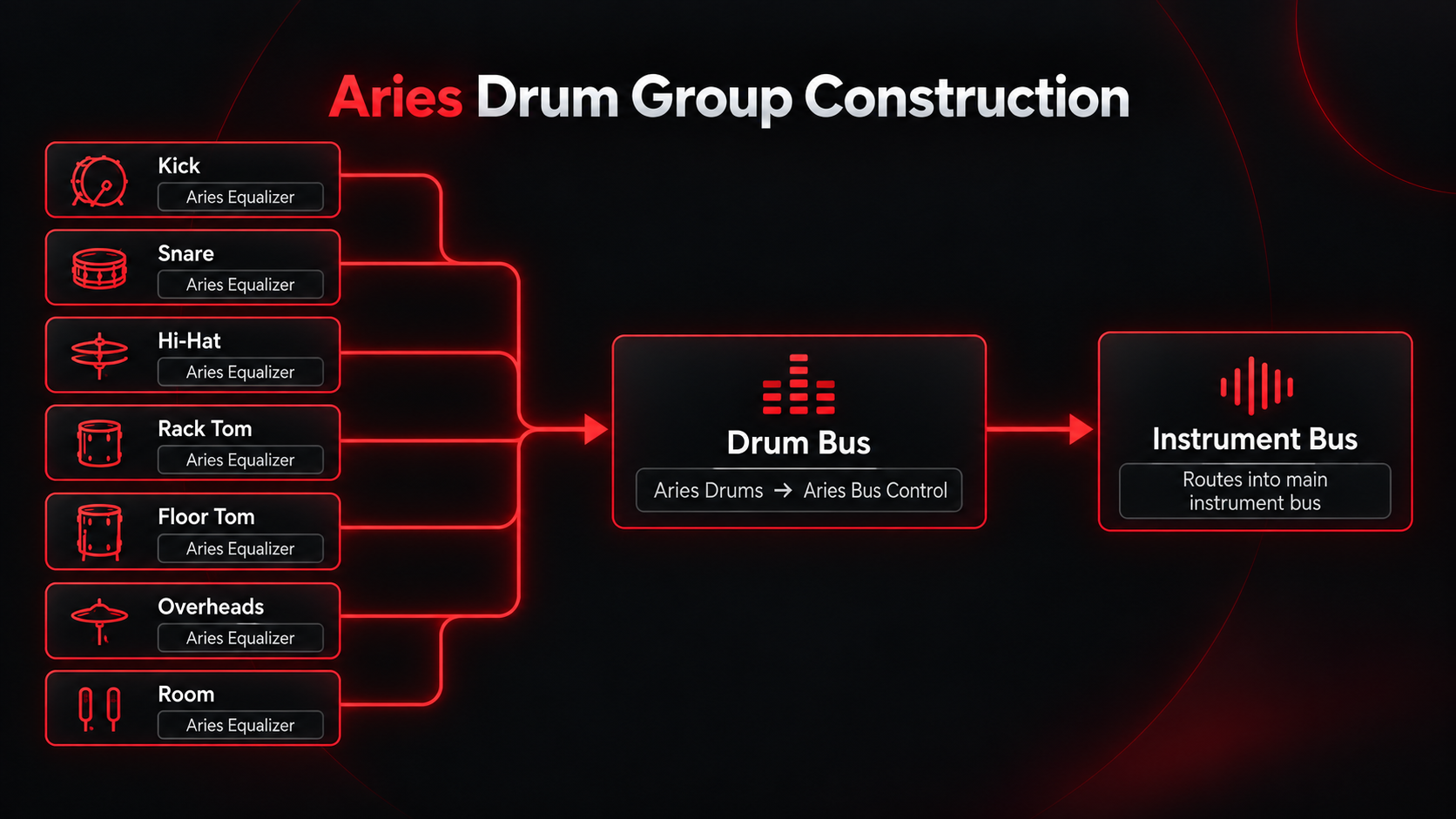
Put Aries Equalizer on individual kick, snare, tom, cymbal, overhead or room tracks when correction is needed. Route those tracks to a Drum Bus. Insert Aries Drums → Aries Bus Control, then route the Drum Bus to the Instrument Bus.
A first mix
- Balance the individual drum takes before judging the complete bus.
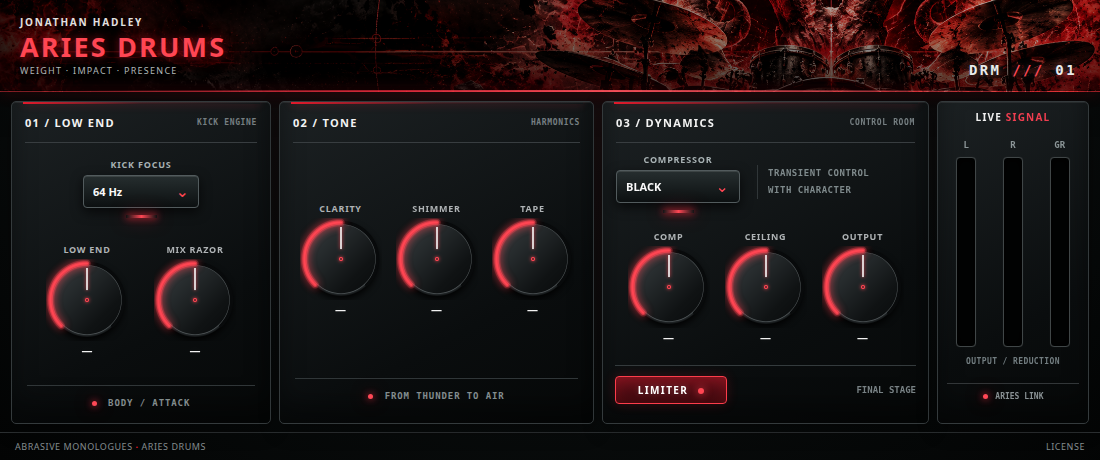
- Select 64 Hz or 74 Hz kick focus according to the material.
- Adjust Kick Punch and Mix Razor to shape low-end impact and separation.
- Use Clarity and Shimmer to shape articulation and high-frequency detail.
- Set Drive for additional character if desired.
- Choose Black or Redline compression and set Punch while watching the gain-reduction display.
- Check Auto Makeup, Output Gain, Limiter and Hard Ceiling against the full mix.
Aries Link with Bass
Aries Drums communicates kick activity to Aries Bass. Insert Aries Bass on the Bass Bus to let it make room for the kick automatically, without requiring a conventional manually wired sidechain. Check the actual audible bass movement; Link presence alone is not proof of ducking.
Troubleshooting
- No output: Check activation, routing, mute/solo state, limiter settings and a bypass comparison.
- Kick and bass still compete: Verify both plugins are present, kick detection is active, and Bass ducking amount is above zero.
- Drums lose impact: Ease compression or drive and compare levels fairly.
General setup and advice
Load the plugin in a compatible VST3 DAW and confirm that its license is active. Start with a sensible input level, then adjust the controls while listening in the context of the full mix. Plugin output controls do not replace the DAW fader; use the fader for creative balance and automation. If a meter has no reading, verify that audio is reaching the plugin and that playback is active.
Aries Link: Where a guide mentions automatic communication, participating plugins must be loaded in the same compatible session and the relevant functions enabled. Aries Link is a control/analysis connection, not an extra audio cable. It does not replace normal bus routing.
Security: Downloads are unsigned. Your operating system may require manual authorization. Review security notices before proceeding.