Store / Help & Support / Plugin Software / Aries Electron
Help & Support
Aries Electron
Taming dense synthesizers without flattening their character
Insert an instance of Aries Electron on each synthesizer take. Route those takes to a Synthesizer Bus with Aries Bus Control, then route it to the Instrument Bus. Electron processes audio from a synth; it is not itself a synthesizer.
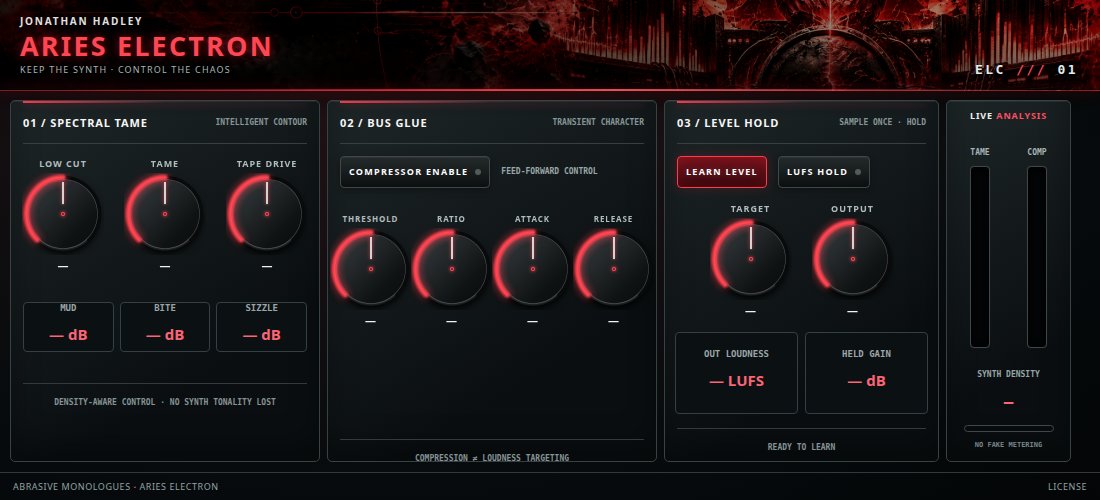
Processing concept
Electron controls unwanted low-end rumble and dynamically tames excess Mud, Bite and Sizzle when a synth becomes dense. It can add Drive for character and Glue for dynamic control, followed by output leveling and peak control. The automatic −14 LUFS reference is intended to help establish a technical starting point, not erase intentional dynamics.
A first mix
- Play the densest section of the synthesizer track.
- Adjust rumble control and the tonal tame controls while listening to the full arrangement.
- Use the density/tame feedback to determine whether excessive spectral energy is actually being reduced.
- Add Drive only if the synth needs more character.
- Adjust Glue/compression and output trim to retain the intended transient character.
- Balance multiple synth parts at the common Synthesizer Bus.
Troubleshooting
- A soft pad sounds unchanged: The dynamic tame feature may not need to act on low-density material.
- Too much movement: Reduce correction strength and assess the full mix rather than solo playback.
- Output seems unexpectedly loud or quiet: Check Learn/output settings and the downstream bus processor.
General setup and advice
Load the plugin in a compatible VST3 DAW and confirm that its license is active. Start with a sensible input level, then adjust the controls while listening in the context of the full mix. Plugin output controls do not replace the DAW fader; use the fader for creative balance and automation. If a meter has no reading, verify that audio is reaching the plugin and that playback is active.
Aries Link: Where a guide mentions automatic communication, participating plugins must be loaded in the same compatible session and the relevant functions enabled. Aries Link is a control/analysis connection, not an extra audio cable. It does not replace normal bus routing.
Security: Downloads are unsigned. Your operating system may require manual authorization. Review security notices before proceeding.