Store / Help & Support / Plugin Software / Aries Plugin Suite Overview
Help & Support
Aries Plugin Suite Overview
How Aries plugins sit in a mix and talk to each other
The suite is a routing map, not one giant multi-effect. Group processors live on instrument and vocal buses. Aries Link shares analysis between plugins; it is not an extra audio cable and does not replace normal DAW routing.
For controls, start with the per-plugin guides. This page is the map.
Plugin flow in a mix
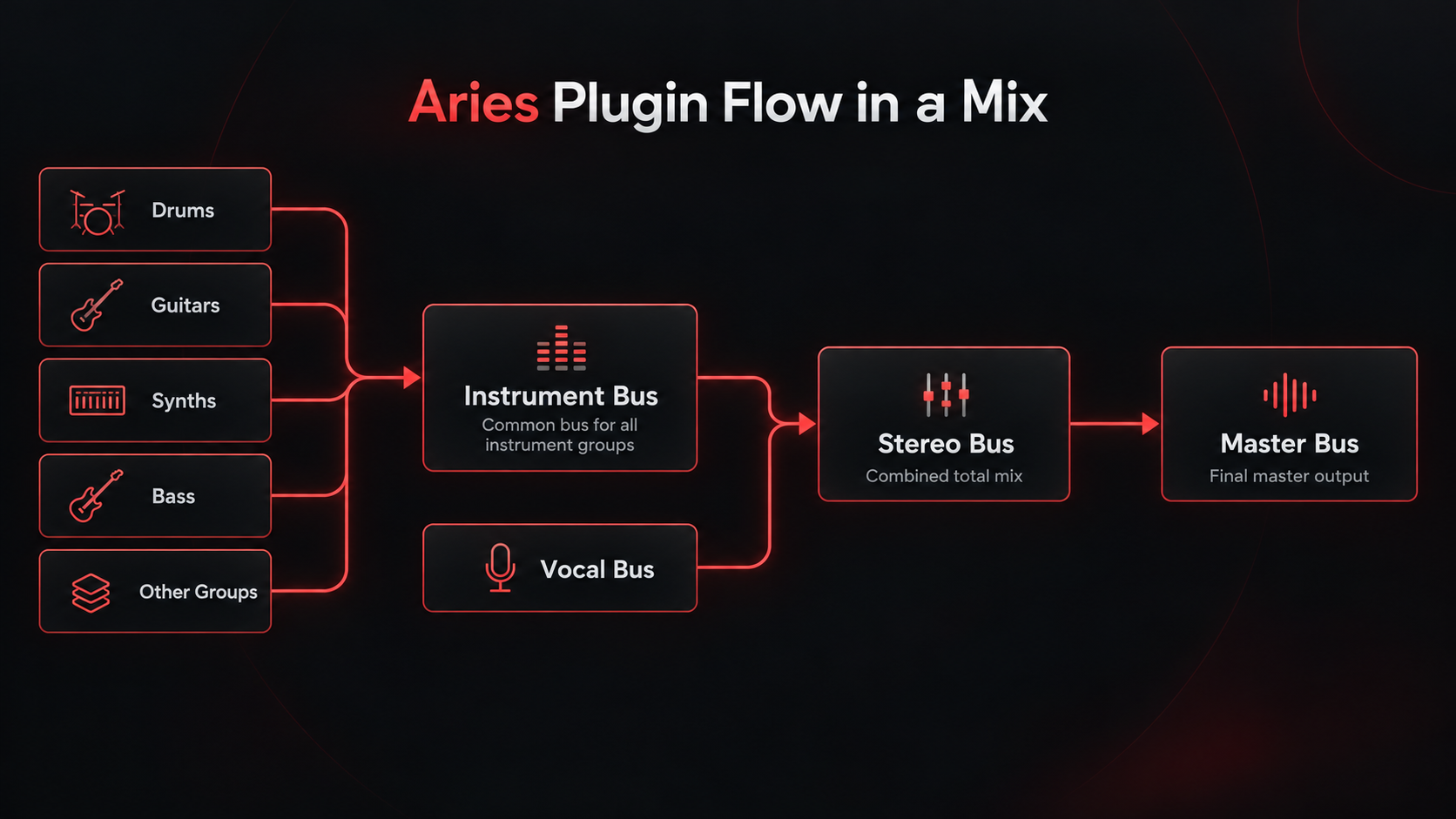
Instrument groups (drums, guitars, synths, bass, and others) combine on an Instrument Bus. Vocals stay on a separate Vocal Bus. Both buses meet at the Stereo Bus, then continue to the Master Bus.
Keep vocals off the Instrument Bus so Unmask can treat instruments independently of the vocal path.
Plugin relationships
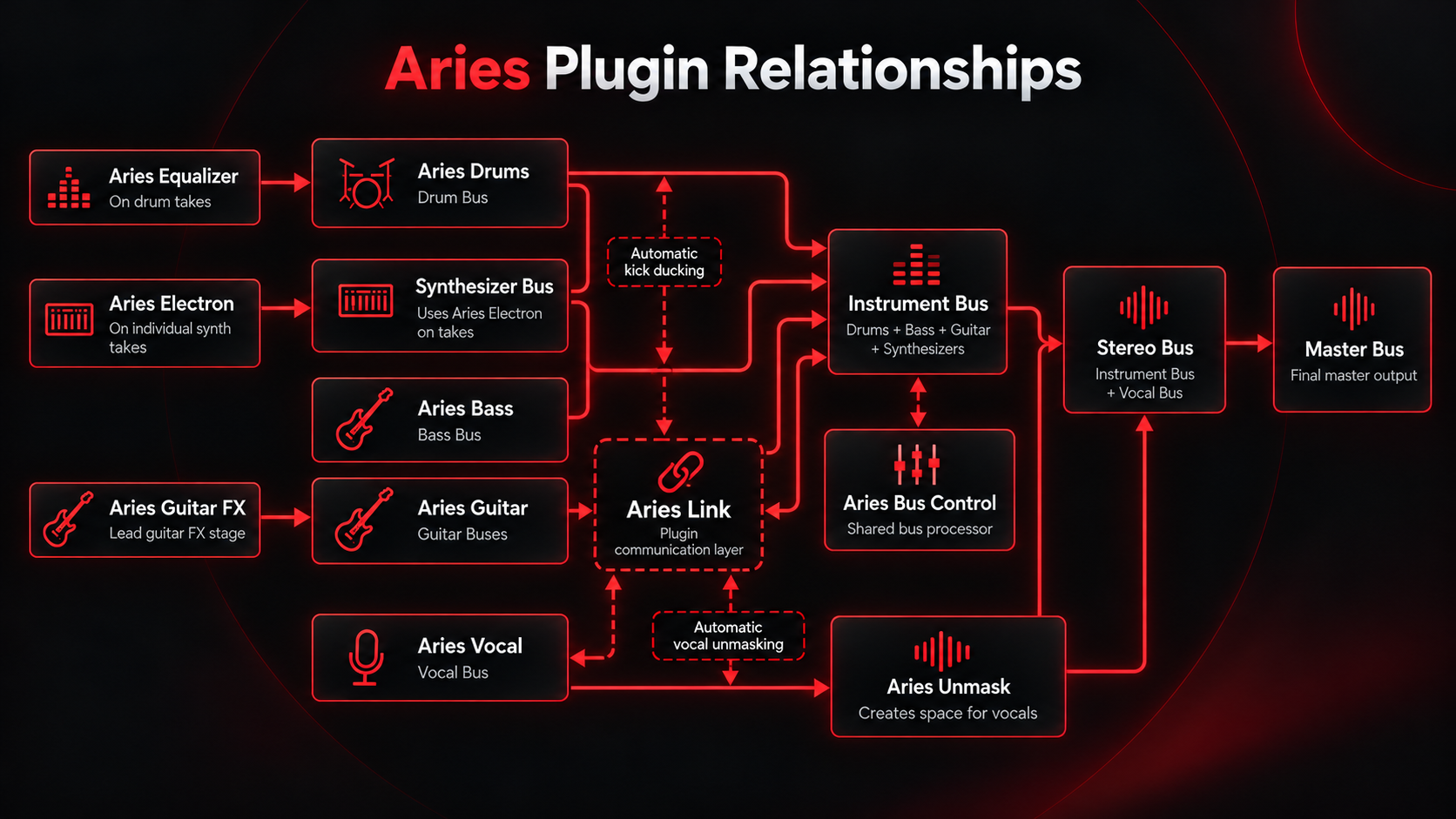
Typical placement:
- Aries Equalizer on individual drum takes before they reach the Drum Bus.
- Aries Electron on individual synth takes before the Synthesizer Bus.
- Aries Guitar FX before Aries Guitar on lead guitar.
- Aries Drums, Aries Bass, Aries Guitar, and Aries Vocal on their group buses.
- Aries Bus Control as the shared processor near the end of each group bus.
- Aries Unmask on the Instrument Bus.
Aries Link carries two automatic conversations shown on the map:
- Kick activity from Aries Drums to Aries Bass (automatic kick ducking).
- Vocal activity from Aries Vocal to Aries Unmask (automatic vocal unmasking).
Participating plugins must be loaded in the same compatible session with the relevant functions enabled.
Group construction
Use these pages for the recommended bus layout of each group:
Standalone processors
Aries Sub Drop, Aries Black, Aries Blue, and Aries Redline are covered in their own guides. They are not part of the mix-bus map above.